Build AI automation when the task is repeatable and rule-like, build an AI workflow when multiple steps need orchestration, and build an AI agent when the system must reason over context, choose tools, and decide the next step within clear boundaries.
AI automation uses AI inside a predictable process: classify, draft, extract, route, notify, summarize, or generate a report from known inputs. An AI workflow coordinates several steps, systems, approvals, and handoffs. An AI agent adds bounded reasoning, state, retrieval, and tool use when the next step is not always known in advance.
The practical question is not whether an agent sounds more advanced. The practical question is how variable the work is, what systems the AI can access, what it can change, where people must review, and whether the business can monitor it after launch.
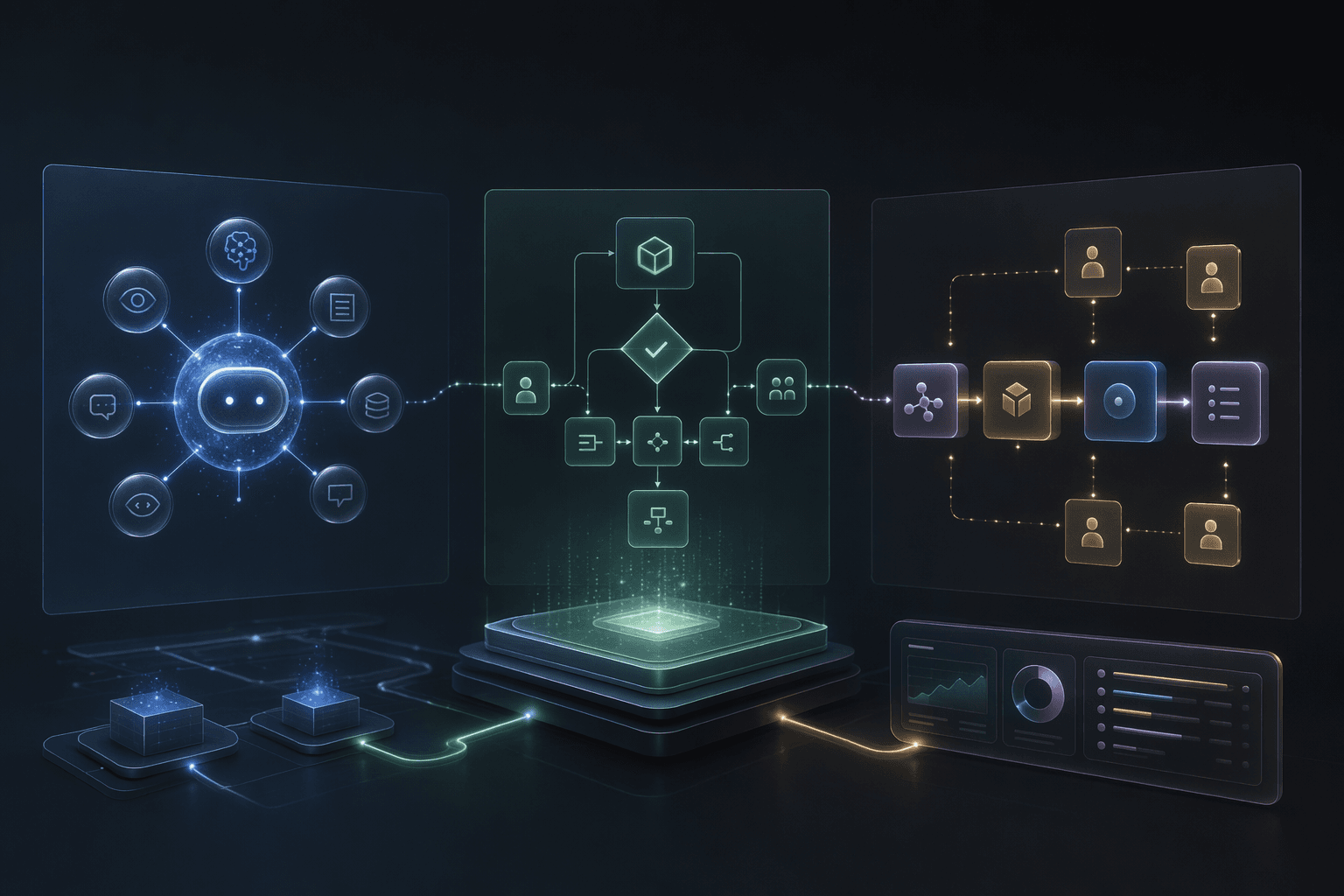
Low
variability
Repeatable inputs, rules, and outputs usually point to AI automation rather than agent autonomy.
Many
handoffs
Approvals, integrations, notifications, and status changes usually point to an AI workflow.
Bounded
reasoning
Context-sensitive next steps can justify an AI agent when tools, permissions, logs, and review paths are explicit.
Core idea
Do not start by asking for an agent. Start by classifying the work: deterministic automation, orchestrated workflow, or bounded agentic system.
Service
AI Agents Development
Agentic workflow systems with tools, boundaries, review loops, and escalation paths.
OpenService
Enterprise AI Automation
Workflow automation for teams connecting AI decisions with operational systems and dashboards.
OpenService
AI Chatbot and Support Automation
Customer support automation with knowledge bases, guided workflows, routing, escalation, and analytics.
OpenAI Automation
Best for repetitive, structured work where the output pattern is known.
6 common tasks
AI Workflows
Best when work moves through multiple steps, systems, approvals, and handoffs.
4 coordination needs
AI Agents
Best when context, tools, state, and bounded reasoning determine the next action.
5 governance needs
Planning Decisions
What Should You Build?
Use this as a decision matrix before comparing platforms, frameworks, or implementation partners. The safest answer is often a layered path: automate the repeatable step first, wrap it in a workflow, then add agent capabilities only where context and variability justify them.
Build AI automation for repetitive, structured tasks
Decision
AI automation fits classification, drafting, routing, extraction, notifications, report generation, summarization, and other repeatable tasks with known inputs and review rules.
Why it matters
This is usually the lowest-risk starting point because the process can be described, tested, monitored, and improved without giving a system broad autonomy.
Practical move
Define the trigger, input source, expected output, fallback path, owner, and success criteria before adding broader workflow orchestration.
Build an AI workflow when steps need orchestration
Decision
AI workflow automation fits work that moves across steps: intake, enrichment, AI draft, approval, system update, notification, dashboard status, and exception routing.
Why it matters
Many business problems are not agent problems. They are coordination problems where the valuable part is state, approvals, retries, handoffs, and integration discipline.
Practical move
Model the workflow states, systems, approval gates, notifications, retries, audit logs, and human owners before deciding whether any step needs agentic behavior.
Build an AI agent when the next step depends on context
Decision
An AI agent workflow is useful when the system must retrieve knowledge, inspect task state, choose from approved tools, decide the next step, and stop or escalate when boundaries are reached.
Why it matters
Agent behavior is harder to operate than a fixed workflow because the system may call tools in a loop and react to changing context, tool results, or missing information.
Practical move
Give the agent a narrow role, scoped tools, explicit permissions, policy constraints, review paths, logging, evaluation examples, and a clear operating owner.
Use RPA or traditional automation for deterministic processes
Decision
RPA and simple automation remain useful when the process is deterministic: copy data, move files, update fields, trigger notifications, or run fixed rules across stable systems.
Why it matters
Agentic automation adds context-sensitive decisioning and tool use, but that extra flexibility also adds governance, monitoring, and failure-analysis work.
Practical move
Keep deterministic steps deterministic. Add AI only where language, ambiguity, document variability, or decision support creates enough value to justify it.
Let risk and write access decide autonomy
Decision
The more sensitive the data, the broader the tool access, and the harder the action is to reverse, the more the system needs approval gates, auditability, and monitoring.
Why it matters
A read-only assistant, drafting workflow, confirmed-write workflow, and restricted-write agent should not share the same permission model.
Practical move
Classify every action as read-only, draft-only, confirmed write, restricted write, or blocked, then design review and logging around that classification.
Migrate in layers instead of jumping to autonomy
Decision
The strongest migration path is usually automation first, workflow second, and agent capabilities only for the steps where context, tools, and variability change the outcome.
Why it matters
This keeps the first release useful while giving the team time to learn where autonomy helps and where a simpler workflow is safer.
Practical move
Pilot one repeatable task, wrap it with state and approvals, inspect real usage, then add bounded agent behavior to the specific decision points that remain too variable for rules.
Operating Model
Decision Guide for Automation, Workflows, and Agents
The difference between AI workflows vs AI agents is not branding. A workflow coordinates known steps. An agent chooses the next step inside a bounded environment. The operating model should match the amount of variability and risk in the work.
Task variability
Decide whether the input, decision path, and output are mostly predictable, moderately variable, or highly context-dependent.
Where it helps
Low variability points to automation, moderate variability points to workflow orchestration, and high variability can justify a bounded agent.
Data and context access
List the documents, records, tickets, conversation history, dashboards, and source systems needed to complete the task.
Where it helps
Simple structured data can support automation; cross-system context may require a workflow; ambiguous or changing context may require an agent.
Tool authority
Separate read tools, draft tools, confirmed-write tools, restricted-write tools, and blocked actions.
Where it helps
Keeps tool use proportional to risk and prevents a chatbot from quietly becoming an unsafe system operator.
Human review
Mark where people must approve, edit, reject, or take over because the case is sensitive, novel, low-confidence, or hard to reverse.
Where it helps
Lets the system move routine work while preserving accountability for high-risk decisions.
Auditability and monitoring
Capture inputs, retrieved context, workflow state, model outputs, tool calls, approvals, errors, and final outcomes.
Where it helps
Makes automation, workflows, and agents diagnosable when behavior changes after launch.
Operating maturity
Confirm who owns workflow policy, evaluation examples, prompt changes, integration changes, monitoring, and incident review.
Where it helps
Prevents teams from launching an agentic system before they have the process to operate it.
Practical Checklist
Buyer Checklist Before You Build
Use these questions when deciding between AI agents vs AI automation, AI agent vs workflow automation, or agentic automation vs RPA.
Keep this in mind
MythyaVerse can help decide whether the right build is AI automation, a workflow system, or an AI agent with tools, review, logging, monitoring, and evaluation. The recommendation should come from the workflow, not from whichever term is trending.
The conservative path is usually the strongest one: automate the clear step, orchestrate the handoffs, then add bounded agent behavior only where context-sensitive decisions make the product meaningfully better.
Work With MythyaVerse
Deciding between automation, workflows, and agents?
MythyaVerse helps teams scope the right AI build: repeatable automation, workflow orchestration, or bounded agents with tools, review paths, logging, monitoring, and production ownership.
Continue Reading
Related articles

Best AI Agent Development Companies for Enterprise Workflows
The best AI agent development partner depends on whether you need custom workflow engineering, an enterprise platform, no-code automation, or code-first tooling.

AI Agent Development Company: What to Look for Before Hiring One
Before hiring an AI agent development company, evaluate workflow discovery, data and tool mapping, permissions, approvals, logs, evaluations, deployment, and post-launch ownership.

Enterprise AI Agent Readiness Checklist
An enterprise is ready for an AI agent when the workflow, data, tools, permissions, human review, evaluations, logs, monitoring, and launch owner are clear.